CAD+T Software
Costing & engineering
CAD+T Engineer
The 3D engineering tool for furniture making: hardware, drilling patterns and lists are placed by the system – you engineer the furniture, not the paperwork around it.
30 minutes · online · with your own projects · no obligation
What changes for you
- Hardware places itself
- Concealed hinges, drawer runners and connectors to your standards, drilling pattern included.
- Lists without re-typing
- Parts list, cutting list and purchase order straight from the model.
- Parametrics instead of redrawing
- Change a dimension and the engineering pulls through – CNC data included.
What CAD+T Engineer takes over
Carcase engineering
Build cabinets, counters and special shapes parametrically – engineered once, varied per job.
Hardware placement
Hardware with its drilling pattern from your library – in the right place, in the right quantity.
Shop drawings
Dimensioned drawings and installation plans fall out of the engineering, not out of a second job.
Parts lists
Material, edges and hardware – complete and always at the state of the model.
Master models
For everything that comes back: enter the dimension, the variant is done – from a one-off to store forty.
Handover to CNC and ERP
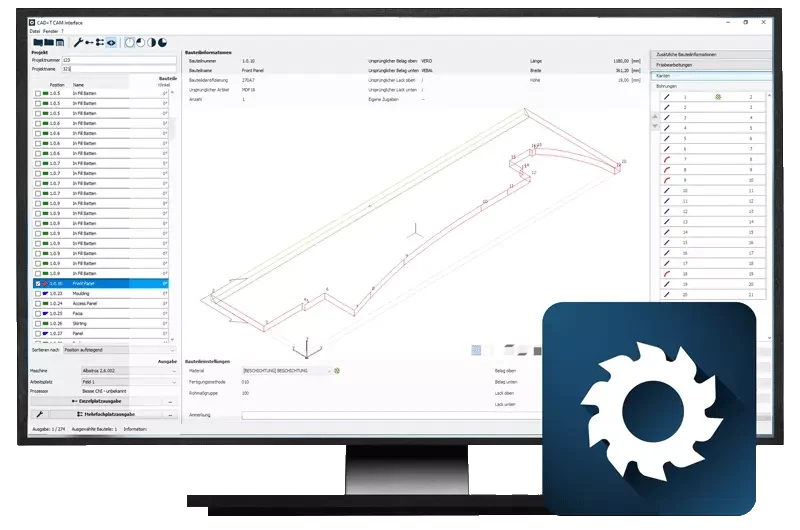
The model passes on – machine data and order data with nothing re-entered.
In the process chain
Costing & engineering · Step 2 of 5
CAD+T Engineer editions
Our available editions – together, we'll find the perfect fit for your business.
Engineer Classic
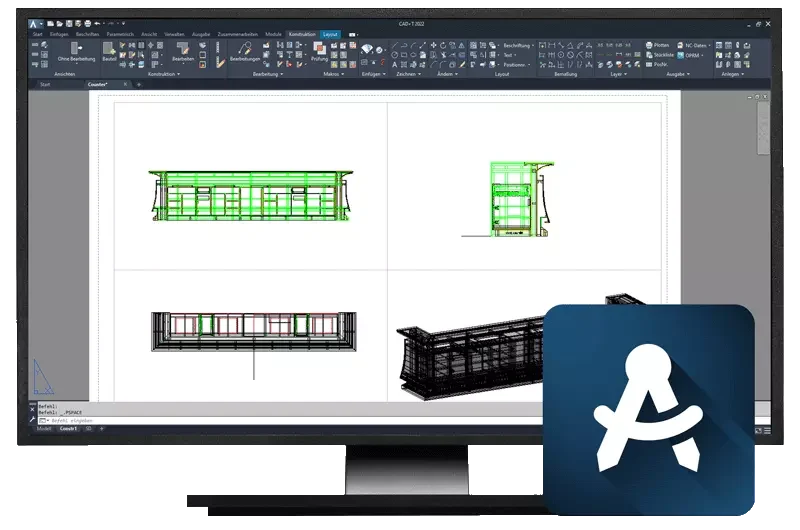
Built on AutoCAD®
- Made for one-off engineering at batch size one
- Automatic hardware placement from a large database of leading manufacturers
- Automatic generation of parts lists
- Four-window view, 2D and 3D representation
- Connection to CNC machines
- Extendable with Data+, the catalogue for components, hardware and appliances
Engineer Professional
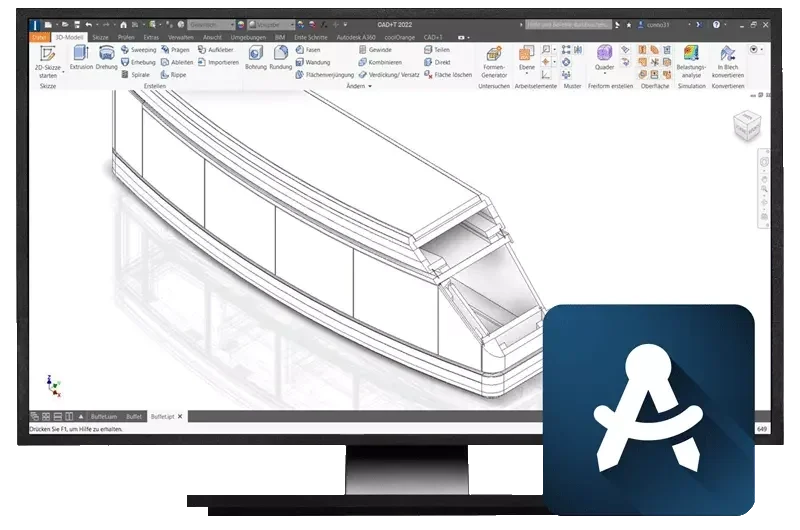
Built on Inventor® (3D parametric)
- For complex and extensive projects
- Automated drawing derivation
- Exploded views and motion simulation
- Fewer part variants through component inheritance, controllable revisions
- Automatic generation of parts lists, connection to CNC machines
- Extendable with sheet metal design including bending, tabs, eyelets and unfolding
See it with your own project
30 minutes · online · with your own projects · no obligation

Common questions about CAD+T Engineer
What does CAD+T Engineer do?
Engineer is the 3D engineering tool for furniture making, built on AutoCAD®. Hardware is placed automatically with its drilling pattern, shop drawings and parts lists fall out of the engineering, and machine data passes on to the CNC with nothing re-typed.
What is the difference between Engineer Classic and Engineer Professional?
Classic is built on AutoCAD® and is designed for one-off engineering at batch size one – with automatic hardware placement and parts lists straight from the drawing. Professional is built on Inventor® with 3D parametrics and is intended for complex, extensive projects: automated drawing derivation, exploded views, component inheritance and controllable revisions.
Do I need AutoCAD® or Inventor® in addition?
That depends on the edition: Engineer Classic is built on AutoCAD®, Engineer Professional on Inventor® with 3D parametrics. You can obtain either licence through us – we are an Autodesk® partner and supply AutoCAD®, Inventor®, Vault® and Revit® from a single source.
The answers give an overview – we are happy to clarify the details in person. Errors, changes and typos excepted.
Show us a piece you build regularly.
We will engineer it in the demo – with your hardware and your standards.
Book a free demo