Solution · CAD+T Konfigurator
Product configurator in the cloud
Sales put together what production can build.
Rules, dimensions and prices are maintained once. Sales and trade partners configure in the browser – out come price, parts list and order, without work preparation having to recalculate. The configurator runs on its own or together with CAD+T Engineer.
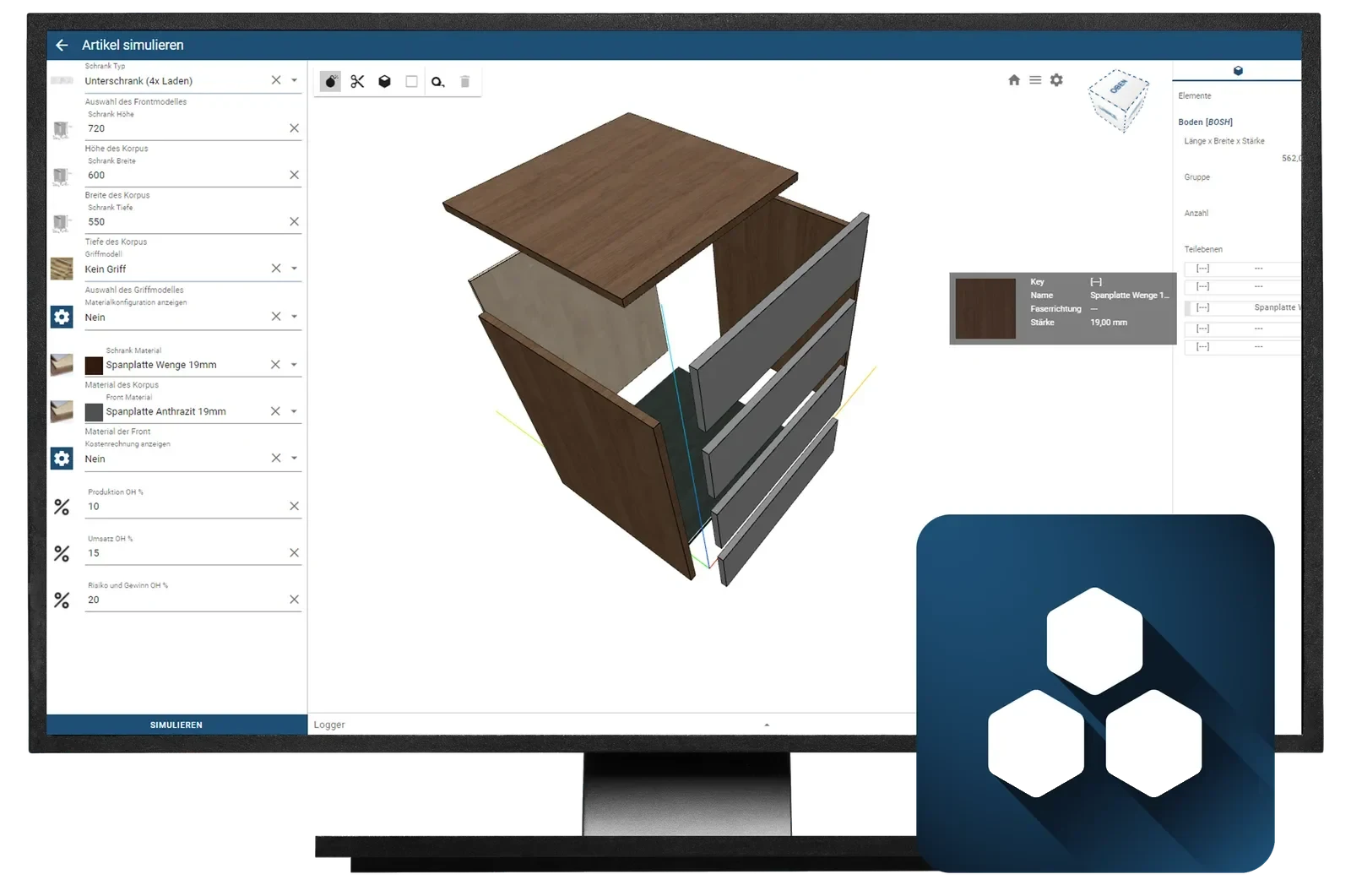
- Web-based and freely scalable
- Runs in the cloud – even with large data volumes, complex rule sets and special adaptations.
- A sales tool outwards
- Your customers configure in the online shop themselves, without sales having to step in.
- Takes load off work preparation
- Quotes to individual dimensions are created in sales – the production data follows later.
Three situations from everyday work
What businesses use the configurator for
Sales and engineering configure the same thing twice
Before
Sales put together a specification, engineering puts together the same one again – with different keys, different margins and occasionally a different result.
With CAD+T Konfigurator: What sales select is the specification for production, not a draft of it.
Every enquiry goes to engineering for costing
Before
Pricing a variant needs somebody who can design. Work preparation costs quotes that never become orders.
With CAD+T Konfigurator: The enquiry is answered in sales – with a price, without tying up engineering.
The recurring piece is calculated from scratch every time
Before
Even the standard carcass starts at the drawing again, although only dimensions and decor differ.
With CAD+T Konfigurator: The standard piece comes out of rules – the time goes into the bespoke work.
From selection to order
How a configuration runs
- 1
Set the rules
Dimension limits, materials, dependencies and margins in one place – taken over from your master models or created directly.
- 2
Configure
In the browser, with live 3D preview: in sales, at the dealer or in the shop. What cannot be built cannot be selected.
- 3
Price and quote
Every variant is costed from its parts list, the drawing is created with it – for quotation and approval.
- 4
Hand over to the order
The configuration becomes order, parts list and demand, without re-entry. The data goes to AutoCAD®, Inventor® or Revit® – with or without CAD+T.
Who this matters to
CAD+T Konfigurator in your trade


Variant manufacturing
Sales and engineering configure the same thing twice
The selection made in sales is the instruction for production
 © Lindner Mobilier s.r.o.
Industry
Sales and engineering configure the same thing twice
What is sold is already engineered — with no query back to the technical department
 © Kunze GmbH
Shopfitting and exhibition construction
Every enquiry for a location goes to engineering to be costed
The enquiry gets answered without tying up engineering
Frequently asked questions
Can I use the product configurator without CAD+T?
Yes. The product configurator can be used on its own – as a sales and costing tool for sales teams, dealers and end customers. The configuration can be handed over to AutoCAD®, Inventor® or Revit®, even without the CAD+T CAD modules.
How does configuration data flow into manufacturing?
The configuration becomes order, parts list and material demand – without re-entry. CAD/CAM data up to the CNC program is generated by the configurator together with CAD+T EOS Enterprise; without CAD+T the data goes to AutoCAD®, Inventor® or Revit®.
Does the configurator support online shops?
Yes. Configuration data can be integrated directly into the CAD+T Shop or external online shops, so end customers and dealers can configure and order furniture themselves.
Who maintains the product data and pricing rules?
Typically master data and pricing rules are maintained by your key users. CAD+T offers training for this and with the Data+ service also predefined catalogs that speed up onboarding.
The answers give an overview – we are happy to clarify the details in person. Errors, changes and typos excepted.
Which enquiries cost you the most engineering time today?
Name a product of yours with many variants. We set up the rules as an example – and you see what your sales team answers on their own afterwards.
Request a demo